本帖最后由 MySense 于 2026-3-7 20:38 编辑
Amaan Rizwan April 10, 2021
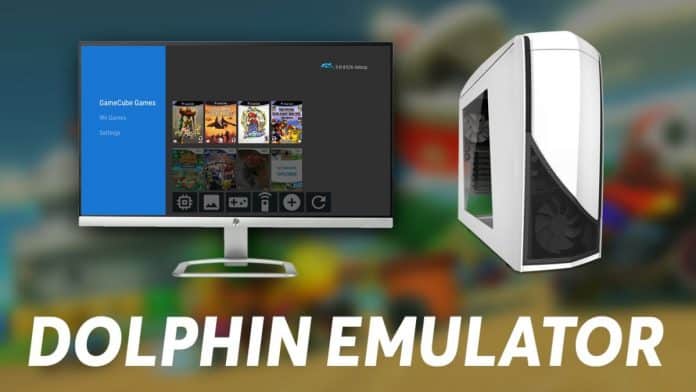
Console games like Contra, Super Mario, Pac Man, and others have defined many of the millennial’s childhood. GameCube, followed by Nintendo, took console gaming to the next level. They went head to head with Playstation, and the ultimate winners were video-gaming enthusiasts.Nintendo
Contents
Prerequisites for using Dolphin Emulator
Dolphin Emulator Requirements – Recommended
How to Use Dolphin Emulator for playing GameCube and Wii Games?
How to Download Games for Dolphin Emulator?
Configure Dolphin Emulator Controller
Configure Dolphin Emulator Graphics
You can play Wii and GameCube games on PC with the Dolphin Emulator. The emulator is developed for playing GameCube and Wii games on PC. The emulator works on Windows, Linux, and Mac operating systems.
Prerequisites for using Dolphin EmulatorYou need to have the following applications installed before being able to use Dolphin Emulator. - Visual C++
- Dolphin Emulator
(The emulator will be in a compressed zip file or a setup that can be installed. You can choose either of the options. 7zip, a freeware is recommended for extracting the program.)
Dolphin Emulator Requirements – Recommended | Windows Based | Mac Based | | Operating System | Windows 64-bit or higher | macOS Sierra 10.12 or higher | | CPU | Intel Core i5 4670k or equivalent | Intel Core i5 4670k or equivalent | | Memory | 2 GB RAM or more | 2 GB RAM or more | | Graphics Hardware | Pixel Shader 3.0 and DirectX 10 or OpenGL 3 support | Vulkan GPU |
How to Use Dolphin Emulator for playing GameCube and Wii Games?[Solved]1. After you are done extracting/installing the Dolphin emulator, head to the emulator’s folder. Click on the executable file that reads Dolphin. 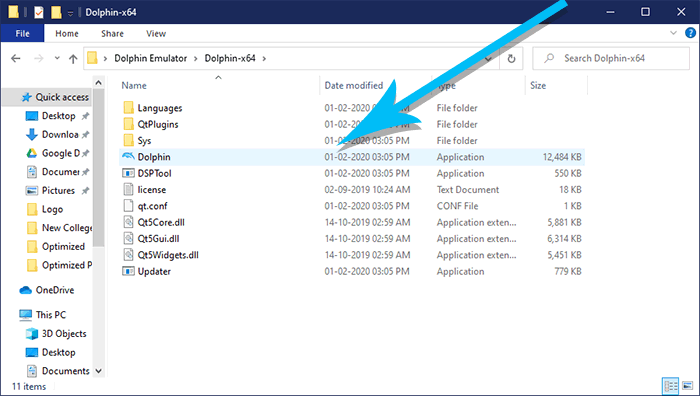 2. Now the emulator’s window will appear on the screen. Click on the Open button to locate the ROM you have made of your original game.. 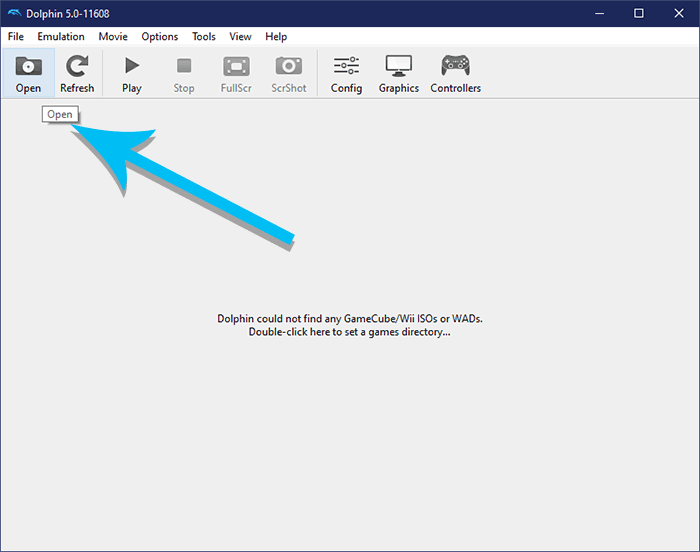 3. Here we already have a GameCube ROM ready from the original copy of The Legend of Zelda: The Wind Waker. 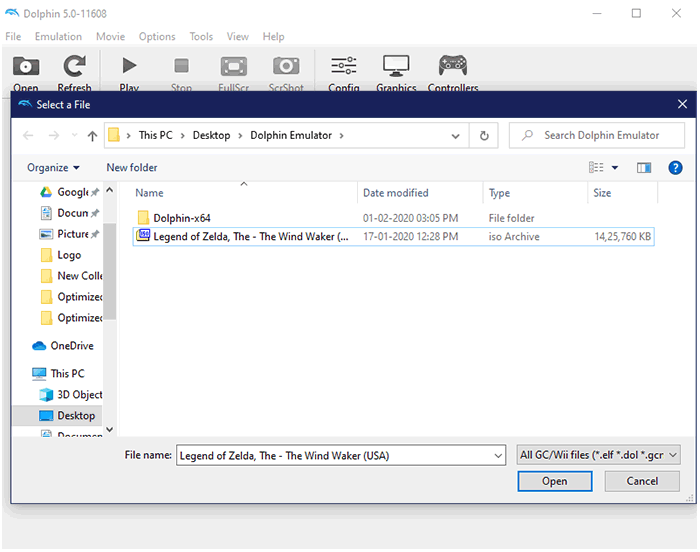 Click on the ROM’s image to load it onto the emulator. If everything goes as per the plan, you should have a game running on your emulator. Now you have learnt to use Dolphin Emulator to play Wii and GameCube games on PC. 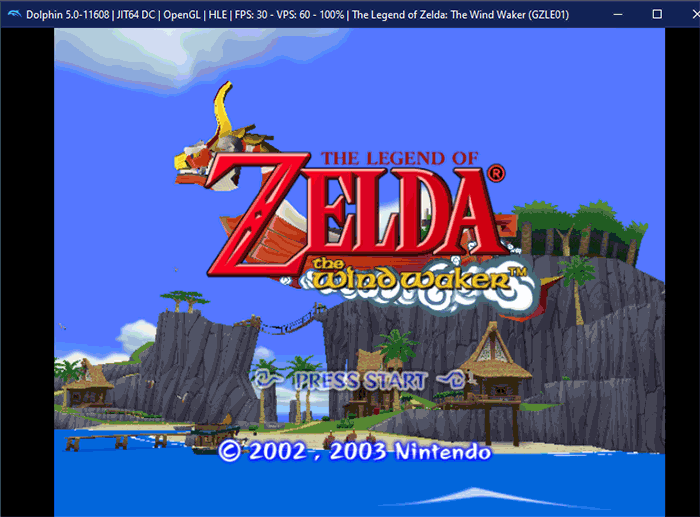
How to Download Games for Dolphin Emulator?Buy Wii/GameCube games and dump them into a ROM. Downloading them from the Internet is illegal and may land you in trouble. When you have a purchased copy of Wii or GameCube at hand, use tools like CleanRip with HomeBrew channel installed to make a ROM.
Configure Dolphin Emulator ControllerThe standard controller and keyboard can be configured if you do not have a GameCube controlled connected to your computer. On the other hand, an emulator for the Wii Remote can be used to use a keyboard as a replacement. Alternatively, you can also controllers Alternative Input Store(DSU) to use Playstation, Nintendo Switch, or Steam controllers as a controller. It requires setting up a local network. 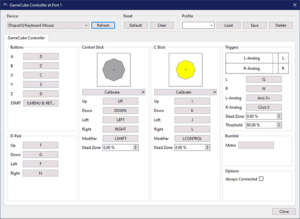 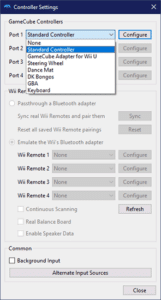
You can also connect upto 4 players for multiplayer console games.
Configure Dolphin Emulator GraphicsYou can speed up Dolphin Emulator to an extend by customizing your graphics settings. Head to the Graphics settings from the main window. Here we go tab section-wise to understand things better. - General tab – Select Backend, depending on the support of your graphics card and operating system. OpenGL if you are unsure about everything.
Tick Fullscreen, which is your call to decide whether you want to play games that way or otherwise. Leave the rest as it is unless you have ample knowledge on the subject. - Enhancement tab – Set the resolution to your liking if you have the supporting hardware, graphics card especially. Do remember that emulation is a resource consuming.
Resort to Native if there is a disruption with the display or something else is breaking up. Experiment with the Auto option to try your luck for better clarity game textures. Note – Check the resolutions supported by your monitor before changing the Internal resolution of the game. We have ignored the Hacks and Advanced as they may not be feasible to play around for an averagecomputer Joe.
Over to You Don’t wait around, setup, and use Dolphin emulator to play Wii/GameCube games right away. If you have any trouble setting up the Dolphin emulator, then ask us via the comment section.
来自圈子: 东游西逛 |


 窥视卡
窥视卡 雷达卡
雷达卡 发表于 2026-3-7 20:38:05
 提升卡
提升卡 置顶卡
置顶卡 沉默卡
沉默卡 喧嚣卡
喧嚣卡 变色卡
变色卡 抢沙发
抢沙发 千斤顶
千斤顶 显身卡
显身卡