I have one Asus EeePC 701 since December 2007. Since then, I havetested several operating systems on this small computer, but myinterests have focused mainly on the Ubuntu Linux distribution.
Assoon as Ubuntu 8.04 was available, I removed the original Xandroscoming with the computer, and I replaced it with the Ubuntu operatingsystem. There were some difficulties at the beginning, mainly relatedto unsupported hardware components.
Ubuntu 8.10 was animprovement over the previous version. The things started to go betterand it was more or less easy to fine tune the system in order to getall the hardware components working properly.
I have been following the Ubuntu 9.04 distribution and testing all the releases in form of live USB since Alfa 4. The main advantage of this release is the full support out of the box of all the hardware of this computer.
Whenthe final version of the Ubuntu 9.04 release came out, I decided tomake a clean install of such version. The previous versions hadsuffered many modifications in order to get the whole system workingproperly and I wanted to know how this release would behave withoutmodifications.
The results could not have been better. Thehardware works very well with no modifications at all. The wifi carddetected the networks on my neighbourhood, and I could connect to myWEP access point as soon as I choose it and typed the passphrase.
Thesecond great improvement is related to speed. If I make a side by sidecomparison of the dmesg (/var/log/messages) information between thecurrent release (9.04) and the previous one (8.10), I can see that mysystem boots up in much less time than the previous version. The SSDdisk is recognised and managed much better than before. This fact givesa much more usable and responsive system than with previous versions.
Youshould notice that this is not a system tuned up to boost the boottime, but just a fresh install with almost no modifications compared tothe default install. The only modifications are choosing ext2 insteadof ext3 as filesystem, and the lack of swap partition.
17:00 Press the power button
17:08 Asus EeePC initial screen
17:10 GRUB screen
17:13 GRUB launches default option
17:42 GDM greeter. Waiting user/password
17:48 Typing: User + password + Intro
18:07 WiFi connection established. System ready!!!
We can see that the system gets ready in 67 seconds:
- 10s : BIOS
- 9s : User interaction: GRUB + GDM login / greeter
- 48s : System startup: Loading + session start + WiFi connect
Justif anyone is interested: In order to have the time counter in thevideo, I have placed the EeePC computer just in front of the screen ofa desktop computer (a four years old P4 system) and issued thefollowing command:
$ xclock -digital -strftime "%M:%S" -face courier-140 -update 1
The desktop system is also running Ubuntu 9.04, of course ;-)
Thegoal of this blog entry is not to do a review of Ubuntu 9.04, but justto evaluate its usability in this system. The netbook of the test hasjust 512MB of physical memory. This small amount is more than enough ifwe intend to use the computer in ordinary tasks. In fact, the systemuses about 130MB of memory having still about 350MB available forapplications.

Wecan see some improvements and changes over previous releases, such asthe system to manage the network connections and the new graphicalaspect of the notifications

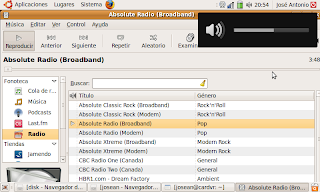
Hardware components such as audio controller and VGA camera work with no modifications at all

Even with such a limited piece of hardware, we can still view youtube HD videos (video credits).

ACPIrelated functions such as suspend, resume and power off work properlywithout modifications. Most of the hotkeys also work right. May be theonly exception is the key to enable and disable the WiFi card. This isthe only thing that I have found so far that needs to be manuallyadjusted.

So,the bottom line is that if you want a notebook with a standarddistribution without limitations and the same features (except thoseimposed by a modest hardware) as your desktop system, I do recommend100% to use the last Ubuntu release on your system.
http://netpatia.blogspot.com/2009/05/ubuntu-904-on-asus-eee-pc-701.html
|


 窥视卡
窥视卡 雷达卡
雷达卡 发表于 2011-6-2 17:28:11


 提升卡
提升卡 置顶卡
置顶卡 沉默卡
沉默卡 喧嚣卡
喧嚣卡 变色卡
变色卡 抢沙发
抢沙发 千斤顶
千斤顶 显身卡
显身卡