PayPal Payments Solutions Comparison Chart
Sales: 1-800-514-4923
Choose the solution that fits your business. (You can always change your solution after sign-up.) PayPal Payments Features
| Standard
Get Started
| Advanced
Apply Now
| Pro
Apply Now
| | Monthly fee | $0 | $5 | $30 | Accept credit cards Accept  (your buyers don't need a PayPal account) (your buyers don't need a PayPal account) | Yes | Yes | Yes | | Accept PayPal payments Give buyers the ease and security of paying you directly from their PayPal account. (100M online shoppers use PayPal) | Yes | Yes | Yes | | Send invoicesSend an invoice in minutes, then quickly update the details for your next customer. They get your invoice in their inbox and click the payment button to pay you. online for fast payment | Yes | Yes | Yes | Free card swiper 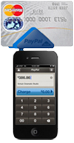
Accept card payments in person with our new mobile plug-in card reader. for your iPhone, iPad, or Android device | Yes | Yes | Yes | | Accept checksNow you can deposit your customers' checks the moment you receive them. Just snap a picture of the check and transfer it into your account with your PayPal Mobile App. with the camera on your mobile device | Yes | Yes | Yes | | Get paid on eBay and Etsy | Yes | Yes | Yes | | Get a PayPal Debit Card and earn up to 1% cash back* | Yes | Yes | Yes | | Comprehensive PayPal data security and fraud protection | Yes | Yes | Yes | | Accept payments in 24 currencies from 190 countries | Yes | Yes | Yes | | Simplified PCI compliance (helps protect buyers’ card information) | Yes | Yes | Yes** | | No long-term contracts, setup, withdrawal, or cancellation fees | Yes | Yes | Yes | | Nonprofit discount available for PayPal transactions | Yes | Yes | Yes | | Toll-free phone support (including after-hours) | Yes | Yes | Yes | | Offer 6 months, no-interest financingYour customers can now choose to finance qualifying purchases of $99 or more with no interest and no payments for up to 6 months, while you get paid up front. on purchases $99 and up | Yes | Yes | Yes*** | | Customers pay without ever leaving your website | NA | Yes | Yes | | Accept credit cards via phone, fax, and mail (Virtual TerminalWith Virtual Terminal, simply log in to your PayPal account and process phone, fax, and mail orders online.) | NA | NA | Yes | | Design and host your own checkout pages for full control | NA | NA | Yes | More info: Watch how it works | Merchant fees | See all merchant services
| Get Started
Learn more
| Apply Now
Learn more
| Apply Now
Learn more
|
* You can apply for the PayPal Debit Card MasterCard Business Card after your PayPal account has been in good standing for 60 days.
** Configurable
*** Requires use of the hosted templates in PayPal Payments Pro
From: PayPal
|


 窥视卡
窥视卡 雷达卡
雷达卡 发表于 2013-5-24 06:52:22
 提升卡
提升卡 置顶卡
置顶卡 沉默卡
沉默卡 喧嚣卡
喧嚣卡 变色卡
变色卡 抢沙发
抢沙发 千斤顶
千斤顶 显身卡
显身卡